Case study · Full-screen audio player (web app)
MEDIA — Audio Player press play, feel everything.
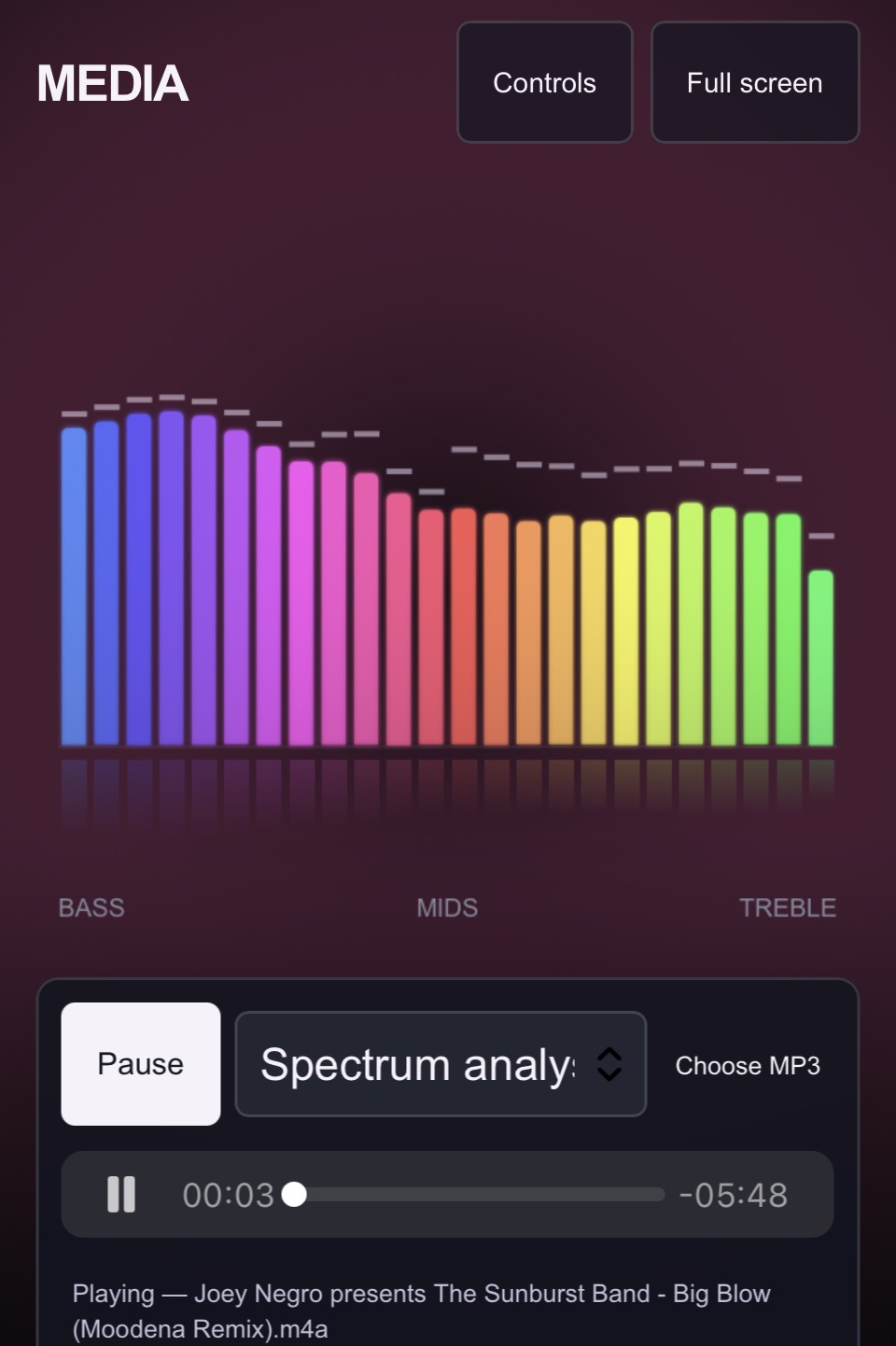
A full-screen audio player in the browser — a live circular spectrum visualiser, your own MP3s, skip and repeat controls, volume and full-screen mode.
This is the real website. Scroll it, tap it, try it. On a phone it’s best full screen.
- Type
- Full-screen audio player (web app)
- Sector
- Music & software
- Sections
- 8
- Built with
- Hand-coded · no templates
About the site
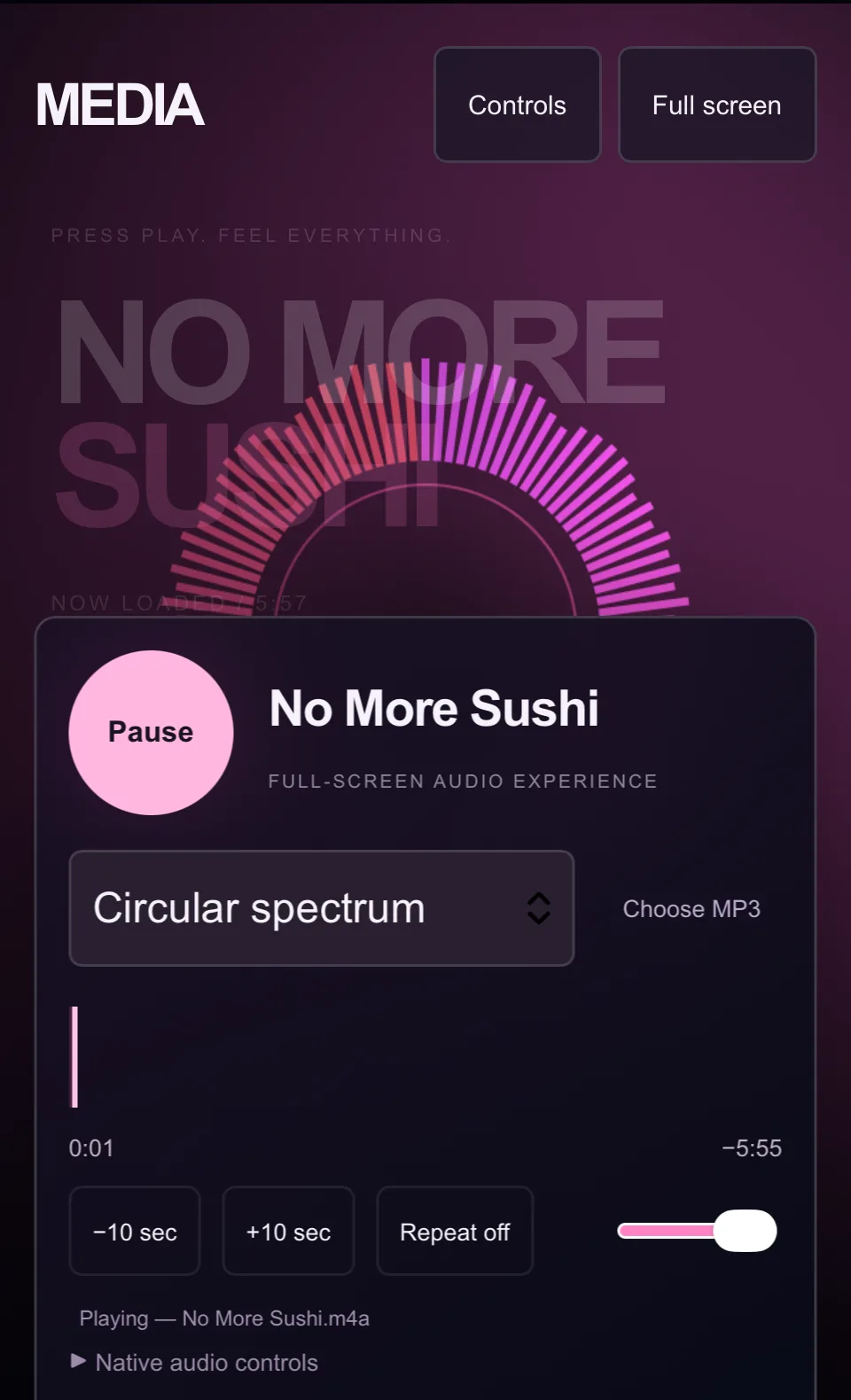
MEDIA is a full-screen audio experience that runs in the browser. “Press play. Feel everything.” The track name fills the screen in huge type, and a ring of light bars pulses around it in time with the music — pink fading into violet.
The idea
Most web audio players are a thin grey bar. This one treats listening as something to watch: the visualiser is the hero of the page, and the controls sit in one tidy card underneath that can be hidden with a tap, leaving just the music and the light.
What we built, section by section
- 01
Header
The MEDIA wordmark, with “Controls” to show or hide the player card and “Full screen”.
- 02
Now playing
The track title set huge behind the visualiser, with its length.
- 03
Visualiser
A circular spectrum of bars that reacts to the music as it plays.
- 04
Player card
A big round play / pause button, the track name and “Full-screen audio experience”.
- 05
Visualiser style
A drop-down to switch how the music is drawn, starting with the circular spectrum.
- 06
Your music
“Choose MP3” to play a file from your own phone or computer.
- 07
Timeline & controls
Elapsed and remaining time, −10 sec, +10 sec, repeat and a volume slider.
- 08
Native audio controls
A fold-out with the browser’s own player, as a fallback.
From the build
Films and pictures from inside the MEDIA — Audio Player website. Swipe through.
Features
- Live circular spectrum visualiser
- Switchable visualiser styles
- Play your own MP3 from the device
- Skip back and forward 10 seconds
- Repeat on / off and volume slider
- Hide the controls for a clean screen
- Full-screen mode
- Native audio controls as a fallback
Look and feel
Deep plum and black, with the visualiser glowing pink to violet. Huge, faded track type sits behind everything; the controls are rounded, soft-edged and big enough for thumbs.
Under the bonnet
- Runs entirely in the browser — nothing to install
- Built on the browser’s Web Audio API to read the music as it plays
- Visualiser drawn live in the page
- Plays local files without uploading them anywhere
- Phone-first layout with full-screen support
Like everything I build, it’s made from scratch. No page builder, no theme. So it’s quick, it works on phones first, and it’s easy to change later.